

ProPainter: Improving Propagation and Transformer for Video Inpainting
Paper • 2309.03897 • Published • 27
ONNX builds of ProPainter, made by Moonbox for on-device use with ONNX Runtime (CPU, CUDA, DirectML). Each
precision is one folder holding the graphs and a small Python pipeline.py that does the rest (image preprocessing,
the frame loop, mask handling); what the graphs take and return is under How to run.
The last column is the benchmark against the original PyTorch model (details under How to run): how closely each output frame matches the original's on the same clips and masks.
| Precision | File | Size | sha256 | Benchmark |
|---|---|---|---|---|
| fp16 | fp16/fc_decoder.onnx |
0.6 MB | 48750e6e2291 |
inpainted-region PSNR vs the original: mean 52.8 / 54.4 dB, worst frame 43.6 dB; 20.9 / 17.1 s per clip (CUDA; original 39 / 30 s) |
| fp16 | fp16/fc_encoder.onnx |
1.3 MB | 269ee000d9d5 |
inpainted-region PSNR vs the original: mean 52.8 / 54.4 dB, worst frame 43.6 dB; 20.9 / 17.1 s per clip (CUDA; original 39 / 30 s) |
| fp16 | fp16/fc_step_backward.onnx |
7.9 MB | cf55f6d4fa1d |
inpainted-region PSNR vs the original: mean 52.8 / 54.4 dB, worst frame 43.6 dB; 20.9 / 17.1 s per clip (CUDA; original 39 / 30 s) |
| fp16 | fp16/fc_step_forward.onnx |
8.5 MB | 338b54350aac |
inpainted-region PSNR vs the original: mean 52.8 / 54.4 dB, worst frame 43.6 dB; 20.9 / 17.1 s per clip (CUDA; original 39 / 30 s) |
| fp16 | fp16/gen_encoder.onnx |
8.4 MB | 29bcde1a374d |
inpainted-region PSNR vs the original: mean 52.8 / 54.4 dB, worst frame 43.6 dB; 20.9 / 17.1 s per clip (CUDA; original 39 / 30 s) |
| fp16 | fp16/gen_step_backward.onnx |
6.8 MB | a3e60860c293 |
inpainted-region PSNR vs the original: mean 52.8 / 54.4 dB, worst frame 43.6 dB; 20.9 / 17.1 s per clip (CUDA; original 39 / 30 s) |
| fp16 | fp16/gen_step_forward.onnx |
6.8 MB | f33655516654 |
inpainted-region PSNR vs the original: mean 52.8 / 54.4 dB, worst frame 43.6 dB; 20.9 / 17.1 s per clip (CUDA; original 39 / 30 s) |
| fp16 | fp16/gen_transformer.onnx |
66.6 MB | e4d7aec32f7f |
inpainted-region PSNR vs the original: mean 52.8 / 54.4 dB, worst frame 43.6 dB; 20.9 / 17.1 s per clip (CUDA; original 39 / 30 s) |
| fp16 | fp16/img_step.onnx |
17.8 kB | 49973fad918f |
inpainted-region PSNR vs the original: mean 52.8 / 54.4 dB, worst frame 43.6 dB; 20.9 / 17.1 s per clip (CUDA; original 39 / 30 s) |
| fp16 | fp16/pipeline.py |
13.3 kB | 608ba7424349 |
inpainted-region PSNR vs the original: mean 52.8 / 54.4 dB, worst frame 43.6 dB; 20.9 / 17.1 s per clip (CUDA; original 39 / 30 s) |
| fp16 | fp16/raft.onnx |
21.6 MB | 2b8b0cb0b202 |
inpainted-region PSNR vs the original: mean 52.8 / 54.4 dB, worst frame 43.6 dB; 20.9 / 17.1 s per clip (CUDA; original 39 / 30 s) |
| int8 | int8/fc_decoder.onnx |
0.3 MB | d1053b01b442 |
weight-only int8: inpainted-region PSNR mean 42.2 / 43.5 dB, worst frame 35.8 dB; 23.7 / 20.5 s per clip (CUDA) |
| int8 | int8/fc_encoder.onnx |
0.7 MB | 949766e8c135 |
weight-only int8: inpainted-region PSNR mean 42.2 / 43.5 dB, worst frame 35.8 dB; 23.7 / 20.5 s per clip (CUDA) |
| int8 | int8/fc_step_backward.onnx |
2.9 MB | c8f887385659 |
weight-only int8: inpainted-region PSNR mean 42.2 / 43.5 dB, worst frame 35.8 dB; 23.7 / 20.5 s per clip (CUDA) |
| int8 | int8/fc_step_forward.onnx |
3.0 MB | 73071dbb750b |
weight-only int8: inpainted-region PSNR mean 42.2 / 43.5 dB, worst frame 35.8 dB; 23.7 / 20.5 s per clip (CUDA) |
| int8 | int8/gen_encoder.onnx |
4.2 MB | e69ecdc695b2 |
weight-only int8: inpainted-region PSNR mean 42.2 / 43.5 dB, worst frame 35.8 dB; 23.7 / 20.5 s per clip (CUDA) |
| int8 | int8/gen_step_backward.onnx |
2.2 MB | dc50acb1ea89 |
weight-only int8: inpainted-region PSNR mean 42.2 / 43.5 dB, worst frame 35.8 dB; 23.7 / 20.5 s per clip (CUDA) |
| int8 | int8/gen_step_forward.onnx |
2.2 MB | d17994ba880e |
weight-only int8: inpainted-region PSNR mean 42.2 / 43.5 dB, worst frame 35.8 dB; 23.7 / 20.5 s per clip (CUDA) |
| int8 | int8/gen_transformer.onnx |
34.8 MB | 551d2cedd7d8 |
weight-only int8: inpainted-region PSNR mean 42.2 / 43.5 dB, worst frame 35.8 dB; 23.7 / 20.5 s per clip (CUDA) |
| int8 | int8/img_step.onnx |
17.8 kB | 49973fad918f |
weight-only int8: inpainted-region PSNR mean 42.2 / 43.5 dB, worst frame 35.8 dB; 23.7 / 20.5 s per clip (CUDA) |
| int8 | int8/pipeline.py |
13.3 kB | 608ba7424349 |
weight-only int8: inpainted-region PSNR mean 42.2 / 43.5 dB, worst frame 35.8 dB; 23.7 / 20.5 s per clip (CUDA) |
| int8 | int8/raft.onnx |
5.9 MB | 1ab239cd357d |
weight-only int8: inpainted-region PSNR mean 42.2 / 43.5 dB, worst frame 35.8 dB; 23.7 / 20.5 s per clip (CUDA) |
ProPainter (S-Lab, NTU: video inpainting and object removal from per-frame masks) as ten ONNX graphs plus
pipeline.py, a numpy runtime that reproduces the repository's inference_propainter.py (video inpainting mode, its
defaults) around them. Non-commercial use only (S-Lab License 1.0, below).
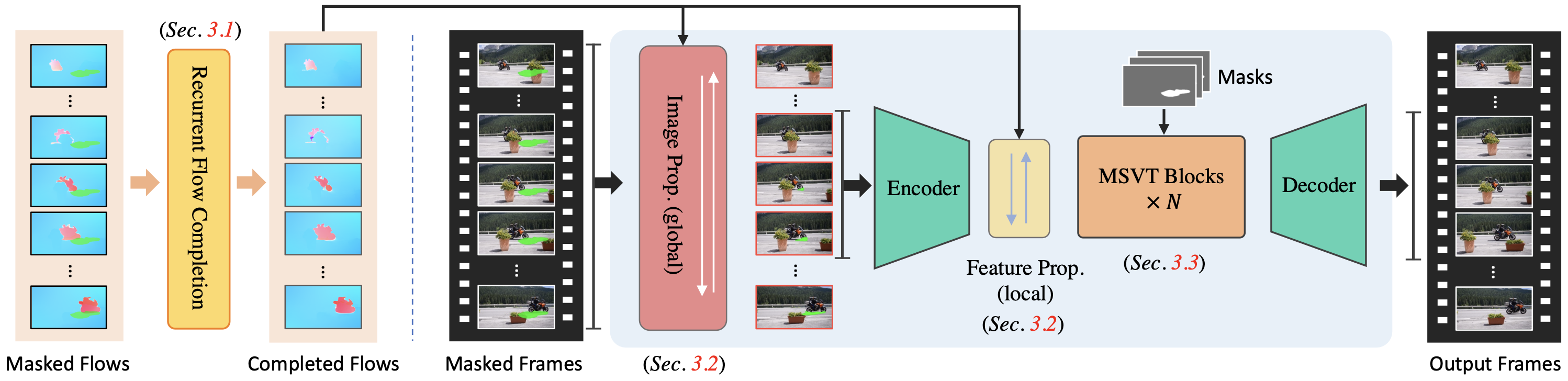
ProPainter works in three stages: optical flow between frames (RAFT), flow completion inside the masked regions,
then a generator that propagates pixels and features along the completed flow and fills the rest with a temporal
sparse transformer. The recurrent passes over frames are exported one step per graph; pipeline.py runs the loops.
raft.onnx: image1, image2 [N, 3, H, W] in [-1, 1] -> flow [N, 2, H, W] (20 refinement iterations).fc_encoder.onnx: masked flows [1, T, 2, H, W] and masks [1, T, 1, H, W] -> features at 1/8 and 1/4 scale.fc_step_backward.onnx / fc_step_forward.onnx: one frame of its second-order deformable propagation.fc_decoder.onnx: fusion and decoder -> completed flow [T, 2, H, W].img_step.onnx: one frame of the image propagation (flow warping with a forward-backward consistency check; no
learned weights).gen_encoder.onnx: frames, masks and updated masks [t, ...] -> features [t, 128, H/4, W/4].gen_step_backward.onnx / gen_step_forward.onnx: one frame of its deformable feature propagation.gen_transformer.onnx: fusion, the temporal sparse transformer and the decoder -> frames [l_t, 3, H, W].All graphs take any frame size that is a multiple of 8. pipeline.py resizes other sizes down to the nearest one,
as the original does.
pipeline.py reproduces the original's steps:
It needs numpy, scipy, onnxruntime (or onnxruntime-gpu) and Pillow:
import sys
from PIL import Image
from pathlib import Path
sys.path.insert(0, "fp16")
import pipeline
pp = pipeline.ProPainter("fp16", "cuda")
frames = [Image.open(p).convert("RGB") for p in sorted(Path("clip").iterdir())]
masks = [Image.open(p) for p in sorted(Path("clip_mask").iterdir())]     # white = remove; or a single mask image
out = pp(frames, masks)                                                  # list of uint8 RGB frames
Or from the command line: python fp16/pipeline.py clip_frames/ clip_masks/ out/ --cuda. The repository's video
outpainting mode isn't ported. On Windows, give CUDA sessions the run option memory.enable_memory_arena_shrinkage =
gpu:0, as pipeline.py does.
How the graphs differ from the PyTorch modules (same arithmetic).
Running the exported loop with the original PyTorch modules reproduces the original's frames to 81 dB PSNR.
Precisions.
fp16/: the encoders, decoders and the transformer in fp16 math (fp32 inputs / outputs). RAFT and the per-frame
step graphs stay fp32: their weights are small, and ONNX Runtime's CUDA provider runs fp16 GridSample on the CPU
(RAFT took 1.1 s per call instead of 79 ms).int8/: weight-only int8 (per output channel) on every network's convolutions and matmuls.img_step has no weights and stays fp32 in both.Benchmark.
inference_propainter.py in fp32 on CUDA with its defaults.| inpainted region, bmx-trees: mean / worst | tennis: mean / worst | seconds per clip | |
|---|---|---|---|
| original (PyTorch fp32, CUDA) | - | - | 39 / 30 |
| ONNX graphs in fp32 (not published) | 58.2 / 49.0 dB | 58.7 / 50.4 dB | 25 / 21 |
fp16/ (CUDA) |
52.8 / 43.6 dB | 54.4 / 49.5 dB | 21 / 17 |
int8/ (CUDA) |
42.2 / 35.8 dB | 43.5 / 39.1 dB | 24 / 21 |
Both builds remove the objects the same way the original does. Side by side, the int8 frames are indistinguishable from the original's.
Before the benchmark, each graph was checked against its PyTorch module (largest absolute difference, float32), at a frame size and frame count other than those it was exported at:
From ProPainter at revision 326782529a. The graphs were exported from the original PyTorch modules with
torch.onnx (opset 17 / 18) and checked against them. Weight-only quantization: int8 is a per-output-channel int8
weight behind DequantizeLinear, int4 is ONNX Runtime's MatMulNBits (block 32). Each card above says which precision
every graph uses. Every precision was benchmarked against the original before upload (the pass mark is under How to run), and the
sha256 column above is what the files must hash to.
S-Lab License 1.0 (non-commercial). These files are a derivative of the original model and carry its license: it is copied in this repository, and it governs your use of these files. The original model card follows unchanged.






⭐ If ProPainter is helpful to your projects, please help star this repo. Thanks! 🤗
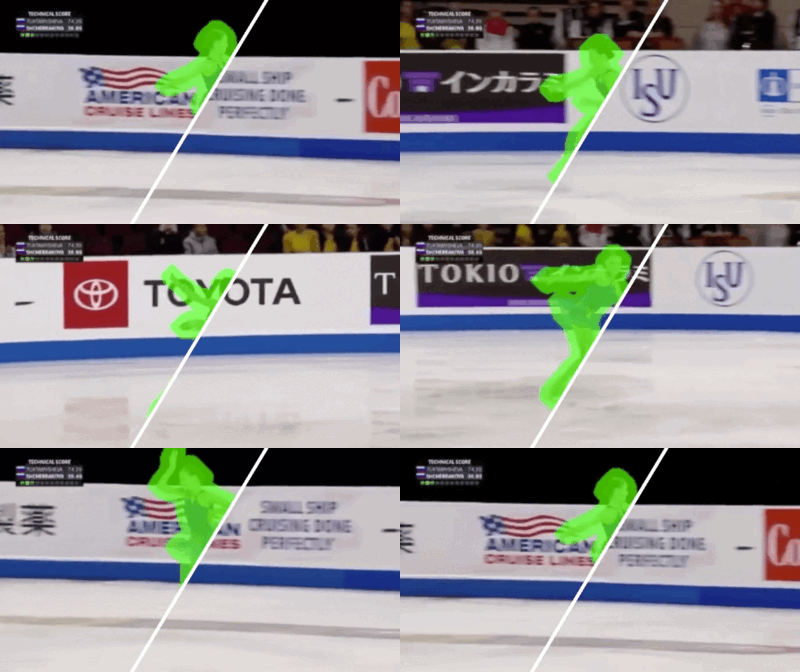
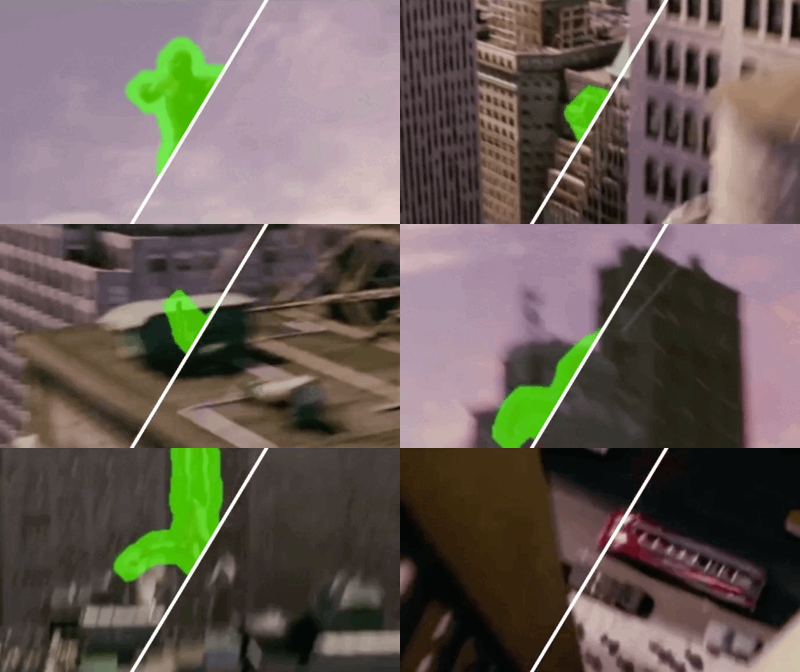
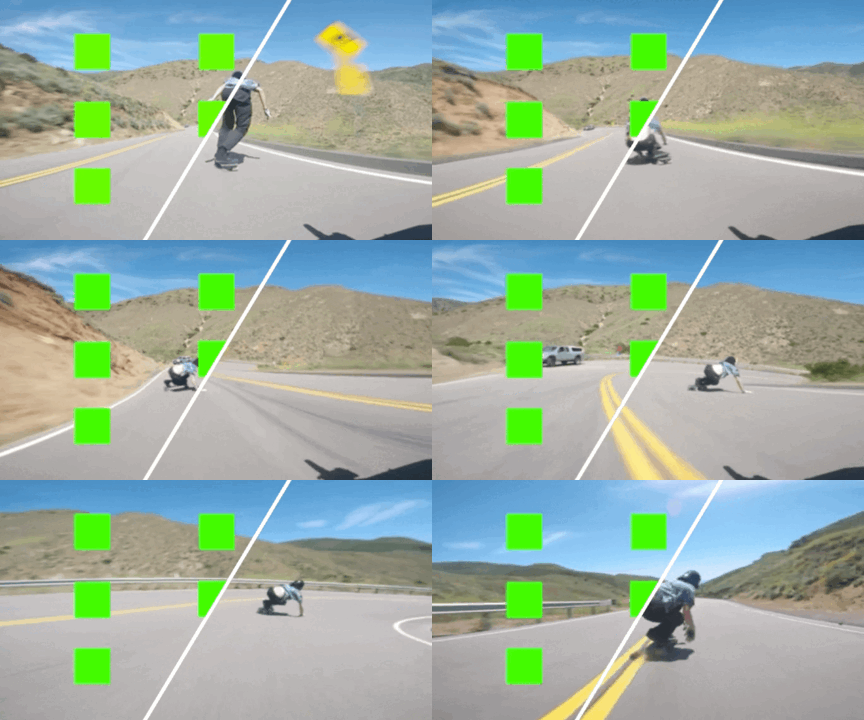
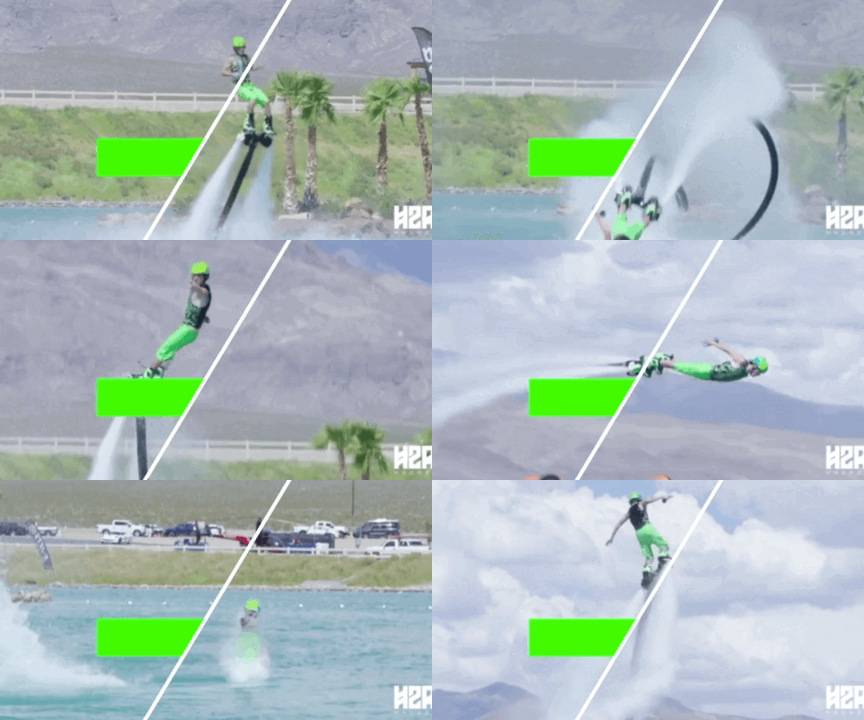
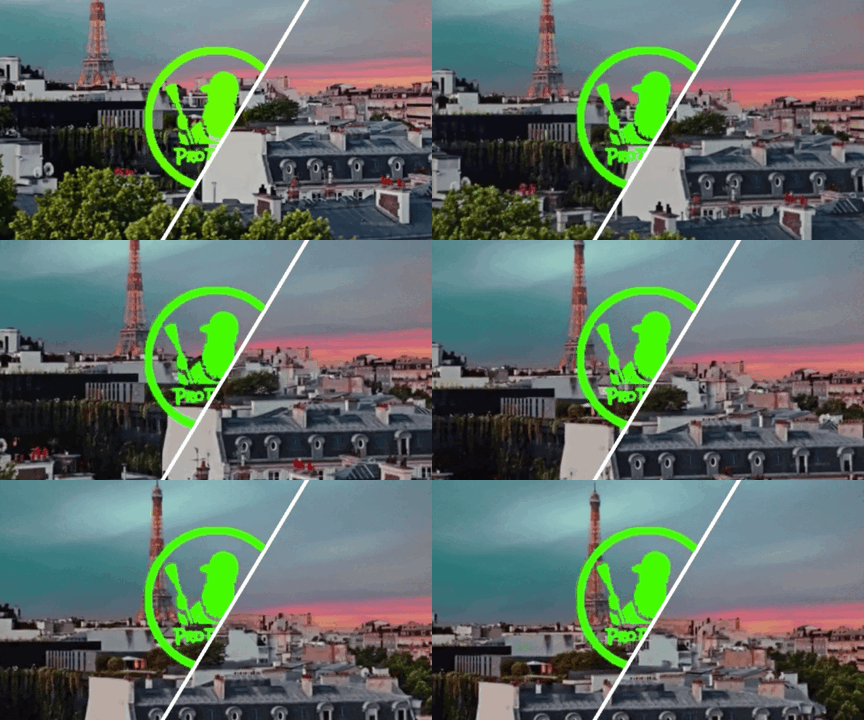
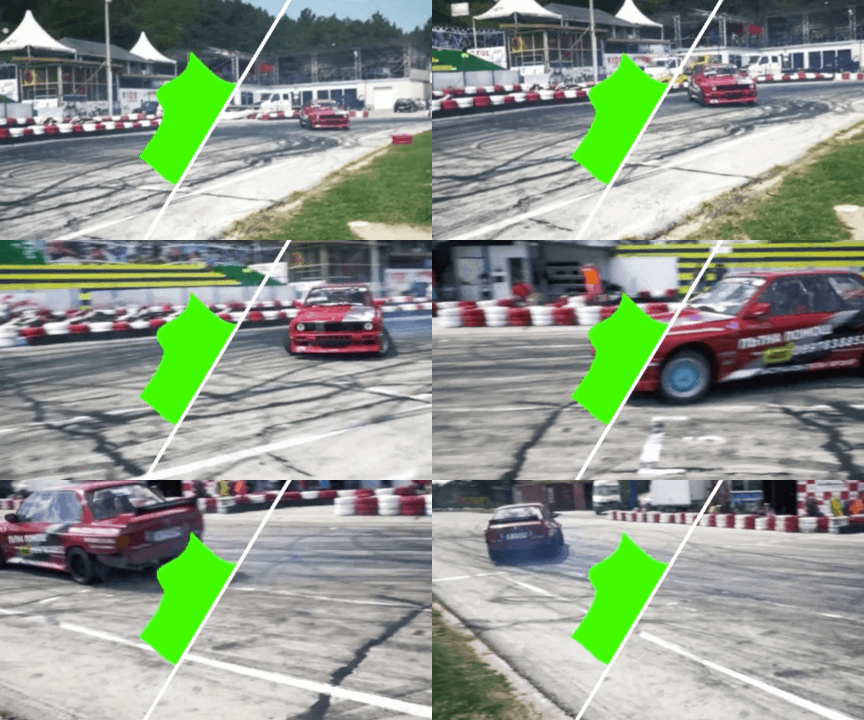
:open_book: For more visual results, go checkout our project page
|
|
|
|
|
|
Clone Repo
git clone https://github.com/sczhou/ProPainter.git
Create Conda Environment and Install Dependencies
# create new anaconda env
conda create -n propainter python=3.8 -y
conda activate propainter

# install python dependencies
pip3 install -r requirements.txt
requirements.txtDownload our pretrained models from Releases V0.1.0 to the weights folder. (All pretrained models can also be automatically downloaded during the first inference.)
The directory structure will be arranged as:
weights
   |- ProPainter.pth
   |- recurrent_flow_completion.pth
   |- raft-things.pth
   |- i3d_rgb_imagenet.pt (for evaluating VFID metric)
   |- README.md
We provide some examples in the inputs folder.
Run the following commands to try it out:
# The first example (object removal)
python inference_propainter.py --video inputs/object_removal/bmx-trees --mask inputs/object_removal/bmx-trees_mask
# The second example (video completion)
python inference_propainter.py --video inputs/video_completion/running_car.mp4 --mask inputs/video_completion/mask_square.png --height 240 --width 432
The results will be saved in the results folder.
To test your own videos, please prepare the input mp4 video (or split frames) and frame-wise mask(s).
If you want to specify the video resolution for processing or avoid running out of memory, you can set the video size of --width and --height:
# process a 576x320 video; set --fp16 to use fp16 (half precision) during inference.
python inference_propainter.py --video inputs/video_completion/running_car.mp4 --mask inputs/video_completion/mask_square.png --height 320 --width 576 --fp16
We also provide an interactive demo for object removal, allowing users to select any object they wish to remove from a video. You can try the demo on Hugging Face or run it locally.
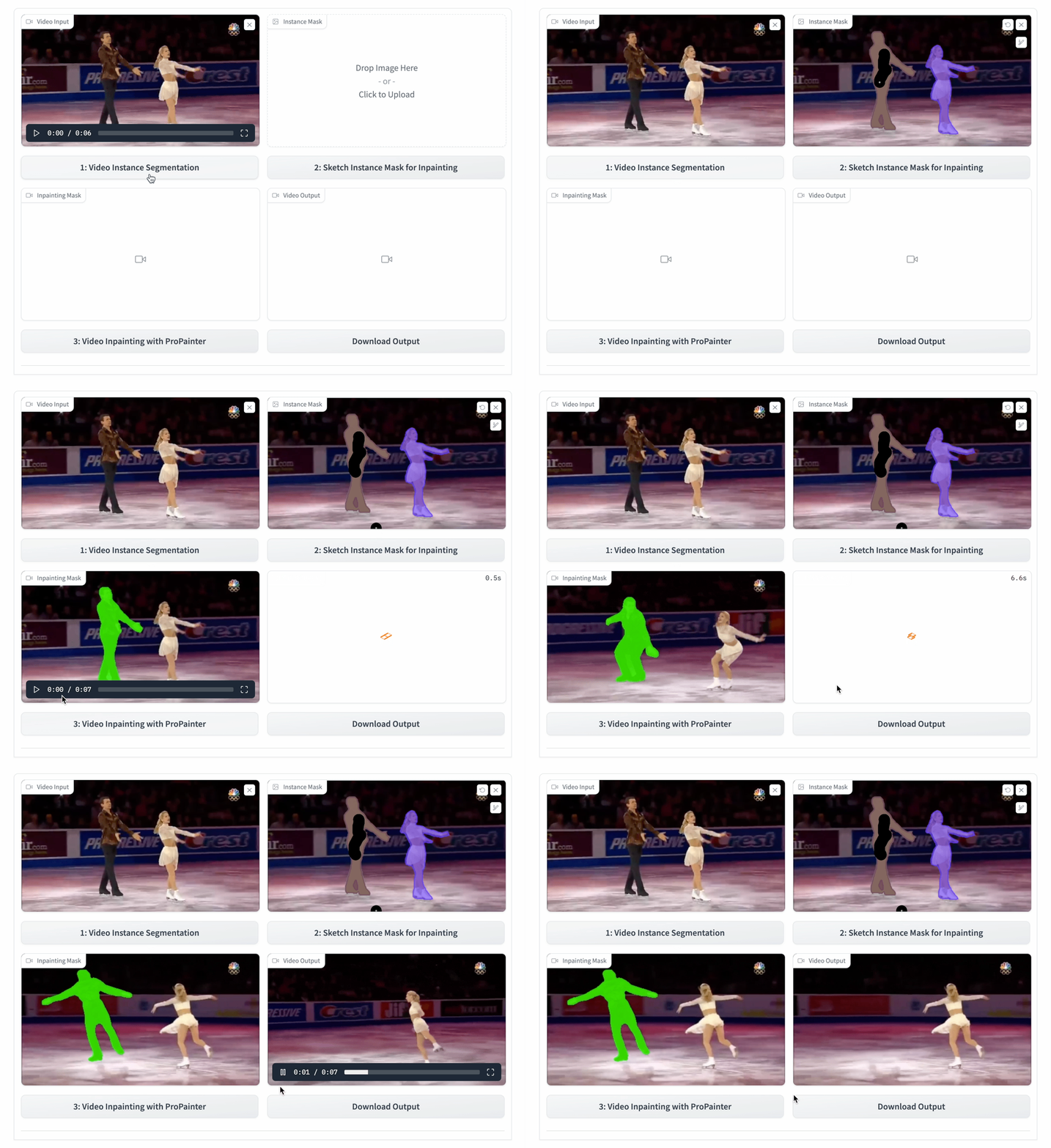
Please note that the demo's interface and usage may differ from the GIF animation above. For detailed instructions, refer to the user guide.
Video inpainting typically requires a significant amount of GPU memory. Here, we offer various features that facilitate memory-efficient inference, effectively avoiding the Out-Of-Memory (OOM) error. You can use the following options to reduce memory usage further:
--neighbor_length (default 10).--ref_stride (default 10).--resize_ratio (default 1.0) to resize the processing video.--width and --height.--fp16 to use fp16 (half precision) during inference.--subvideo_length (default 80), which effectively decouples GPU memory costs and video length.Blow shows the estimated GPU memory requirements for different sub-video lengths with fp32/fp16 precision:
| Resolution | 50 frames | 80 frames |
|---|---|---|
| 1280 x 720 | 28G / 19G | OOM / 25G |
| 720 x 480 | 11G / 7G | 13G / 8G |
| 640 x 480 | 10G / 6G | 12G / 7G |
| 320 x 240 | 3G / 2G | 4G / 3G |
| Dataset | YouTube-VOS | DAVIS |
|---|---|---|
| Description | For training (3,471) and evaluation (508) | For evaluation (50 in 90) |
| Images | [Official Link] (Download train and test all frames) | [Official Link] (2017, 480p, TrainVal) |
| Masks | [Google Drive] [Baidu Disk] (For reproducing paper results; provided in ProPainter paper) | |
The training and test split files are provided in datasets/<dataset_name>. For each dataset, you should place JPEGImages to datasets/<dataset_name>. Resize all video frames to size 432x240 for training. Unzip downloaded mask files to datasets.
The datasets directory structure will be arranged as: (Note: please check it carefully)
datasets
   |- davis
      |- JPEGImages_432_240
         |- <video_name>
            |- 00000.jpg
            |- 00001.jpg
      |- test_masks
         |- <video_name>
            |- 00000.png
            |- 00001.png
      |- train.json
      |- test.json
   |- youtube-vos
      |- JPEGImages_432_240
         |- <video_name>
            |- 00000.jpg
            |- 00001.jpg
      |- test_masks
         |- <video_name>
            |- 00000.png
            |- 00001.png
      |- train.json
      |- test.json
Our training configures are provided in train_flowcomp.json (for Recurrent Flow Completion Network) and train_propainter.json (for ProPainter).
Run one of the following commands for training:
 # For training Recurrent Flow Completion Network
 python train.py -c configs/train_flowcomp.json
 # For training ProPainter
 python train.py -c configs/train_propainter.json
You can run the same command to resume your training.
To speed up the training process, you can precompute optical flow for the training dataset using the following command:
 # Compute optical flow for training dataset
 python scripts/compute_flow.py --root_path <dataset_root> --save_path <save_flow_root> --height 240 --width 432
Run one of the following commands for evaluation:
 # For evaluating flow completion model
 python scripts/evaluate_flow_completion.py --dataset <dataset_name> --video_root <video_root> --mask_root <mask_root> --save_results
 # For evaluating ProPainter model
 python scripts/evaluate_propainter.py --dataset <dataset_name> --video_root <video_root> --mask_root <mask_root> --save_results
The scores and results will also be saved in the results_eval folder.
Please --save_results for further evaluating temporal warping error.
If you find our repo useful for your research, please consider citing our paper:
@inproceedings{zhou2023propainter,
   title={{ProPainter}: Improving Propagation and Transformer for Video Inpainting},
   author={Zhou, Shangchen and Li, Chongyi and Chan, Kelvin C.K and Loy, Chen Change},
   booktitle={Proceedings of IEEE International Conference on Computer Vision (ICCV)},
   year={2023}
}
The ProPainter is made available for use, reproduction, and distribution strictly for non-commercial purposes. The code and models are licensed under NTU S-Lab License 1.0. Redistribution and use should follow this license.
For inquiries or to obtain permission for commercial use, please consult Dr. Shangchen Zhou (shangchenzhou@gmail.com).
If you develop or use ProPainter in your projects, feel free to let me know. Also, please include this ProPainter repo link, authorship information, and our S-Lab license (with link).
If you have any questions, please feel free to reach me out at shangchenzhou@gmail.com.
This code is based on E2FGVI and STTN. Some code are brought from BasicVSR++. Thanks for their awesome works.
Special thanks to Yihang Luo for his valuable contributions to build and maintain the Gradio demos for ProPainter.